Multi-service bookings
One booking for several services at once, or with two specialists at once — no need to create separate visits.
We use necessary cookies to operate the service. With your consent, we enable Yandex Metrica for visit analytics. Privacy policy
Online booking and CRM for service businesses
The client opens your business page, picks a service and a free slot. The booking lands straight in your team's calendar — no calls, no back-and-forth.
Two minutes
These four steps usually take a few messages and a phone call. Here they happen without you lifting a finger.
A link from your site header, VK community, or Telegram bot.
Only genuinely free slots are shown — booked times are hidden.
Gets a confirmation wherever suits them: messenger or email.
The specialist sees the name, service, and contact. No receptionist involved.
The interface, piece by piece
We're showing specific parts of the product, not a generic overview — the places where your workday actually happens.
Service, specialist, time, amount, and visit status. No need to scroll through messages to recall the details.
Clients pick a day and slot on your page. Booked time simply isn't shown.
Daily trends and average ticket size are calculated automatically — from visits that already happened.
Total clients, how many visited this month, and how much they spent — calculated from actual visits.
Workload, bookings, and revenue per specialist — it's clear where help is needed.
All in one service
Inventory, payroll, loyalty, group classes, equipment rental — things other services charge extra for or don't have at all are already included here.
One booking for several services at once, or with two specialists at once — no need to create separate visits.
A spot limit for a class or workshop; booking closes automatically once it's full.
Time before and after a service for cleanup or setup — clients can't book back-to-back with no gap.
The same service can cost differently with a junior vs. a senior specialist — set individually.
Supplies are deducted from stock automatically when a service is completed, based on a preset recipe.
Equipment rental with a deposit and an availability calendar, on-site requests with the client's address — in the same account as service bookings.
New, regular, VIP, and lapsed clients are visible right away — no manual spreadsheet sorting.
A percentage of each visit comes back to the client as bonus points, redeemable as a discount on the next visit.
Opt in yourself: a client gets a bonus when a friend they referred completes their first booking.
Sell certificates for services — the client pays online, gets a code, and uses it when booking.
Discounts on specific services or dates, with an expiry — set up without a developer.
See how many bookings came from your site, Telegram, VK, or the Ordino directory — not just total revenue.
A specialist's pay is calculated from services actually performed — no manual reconciliation against a booking log.
A separate schedule, staff, and address per branch — clients pick the nearest one on the map.
Your logo and brand color — clients see your page, not a generic template.
A ready-made HTML snippet for a booking button and form — drop it into Tilda, WordPress, or a custom site in minutes.
A separate SEO page with services, prices, and reviews — another channel bookings come from.
Telegram, VK, and MAX — clients confirm a visit with one tap, no call to the front desk.
Built for different workflows
Ordino includes only the workflows you need: time-based bookings, rentals, or on-site requests. Your dashboard only shows the sections and metrics that apply.

Services, staff, portfolio, and repeat visits.

Personal and group classes, trainer schedules.

Booking for diagnostics and repairs, mechanic workload.

Appointment schedules, specialists, and client history.
Consultations, classes, and instructor schedules.
Equipment, available dates, pickup, return, and deposit.
A request with the client's address, date, and visit details.
Combine services, rentals, and on-site visits in one business, if that's how your workflow actually runs.
Integrations
Connect Telegram, MAX, VK, and 2GIS to one booking database. Ordino Business is also available for your team on Android through RuStore.
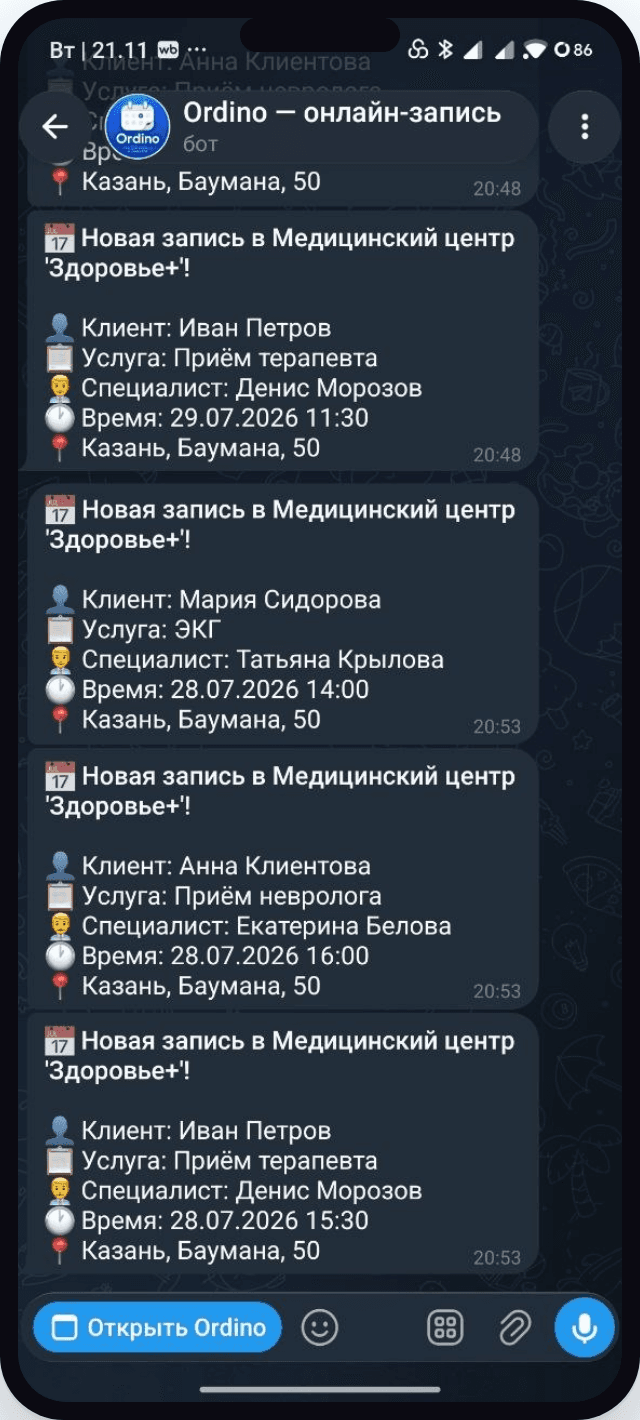
The business sees a new booking right away in the bot chat.
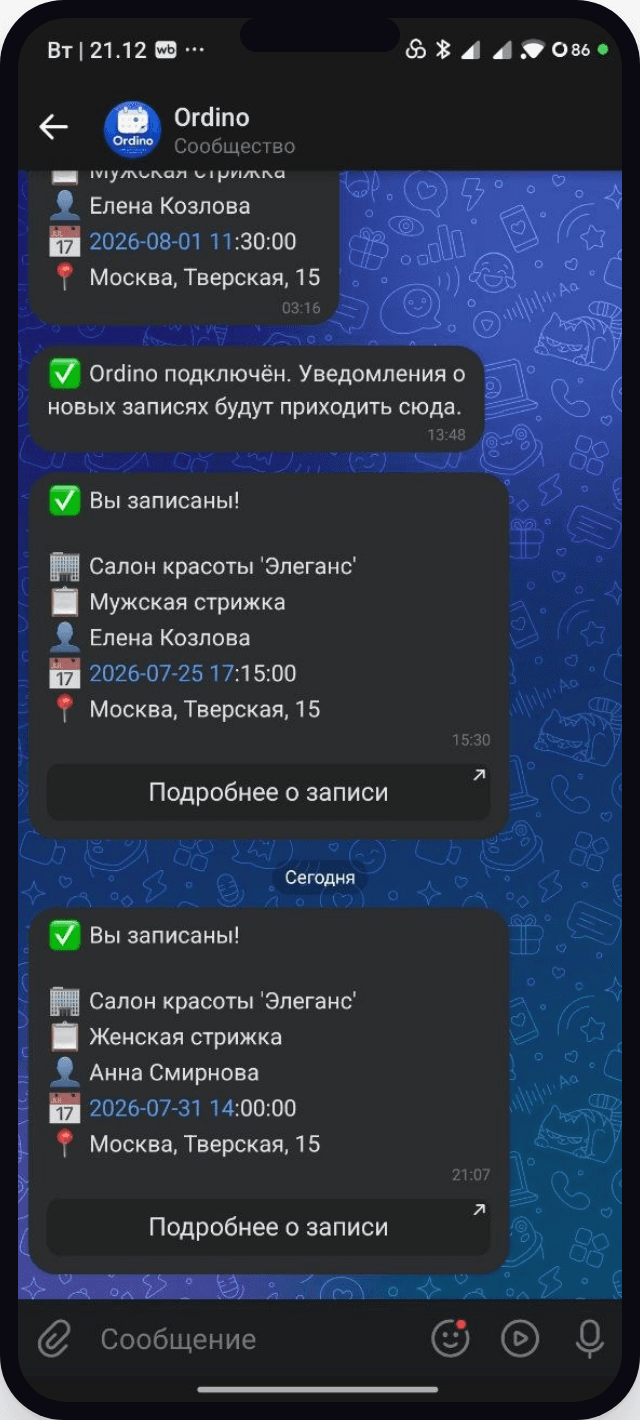
A notification and booking card arrive in the community's messages.
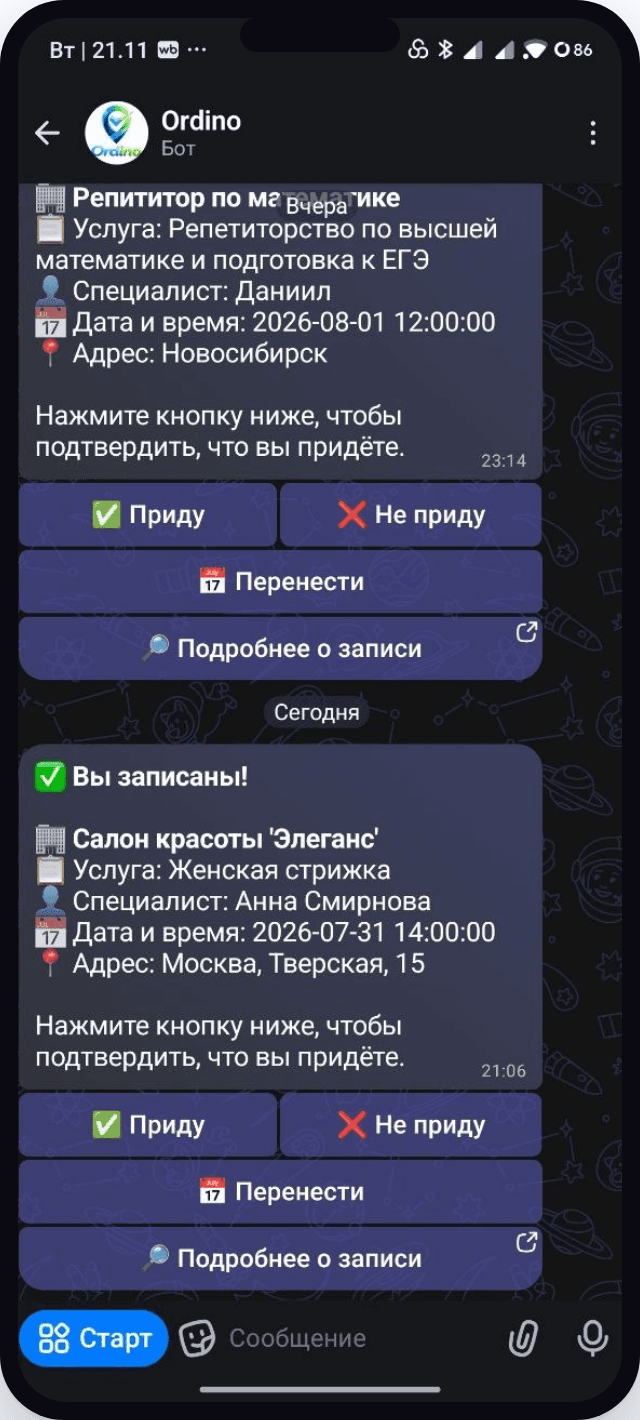
The client confirms the visit with one tap — "I'll come" or "Reschedule."
Use these verified links for the bot, community, VK Mini App, 2GIS for Business, and the official Android app page.

Bookings and notifications in Telegram.

The notification bot and official Ordino channel.

The Ordino community and booking app.

A booking button and services in your company listing.

Android app for owners and employees.
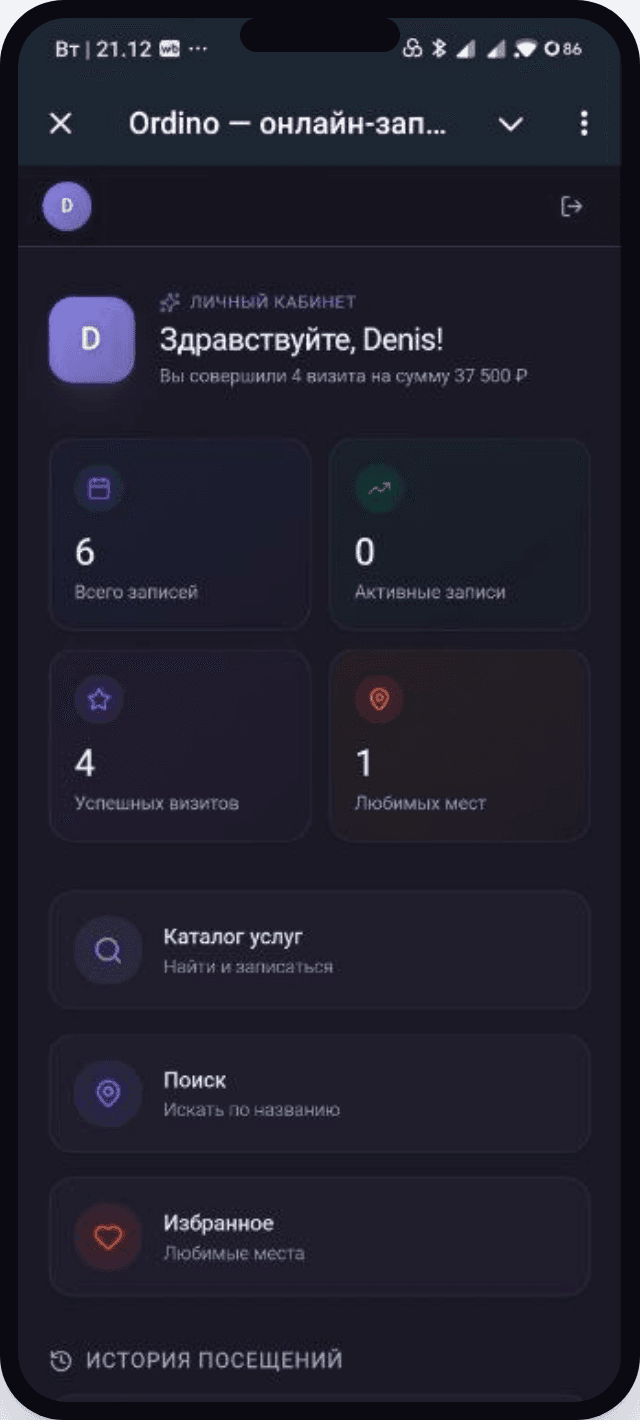
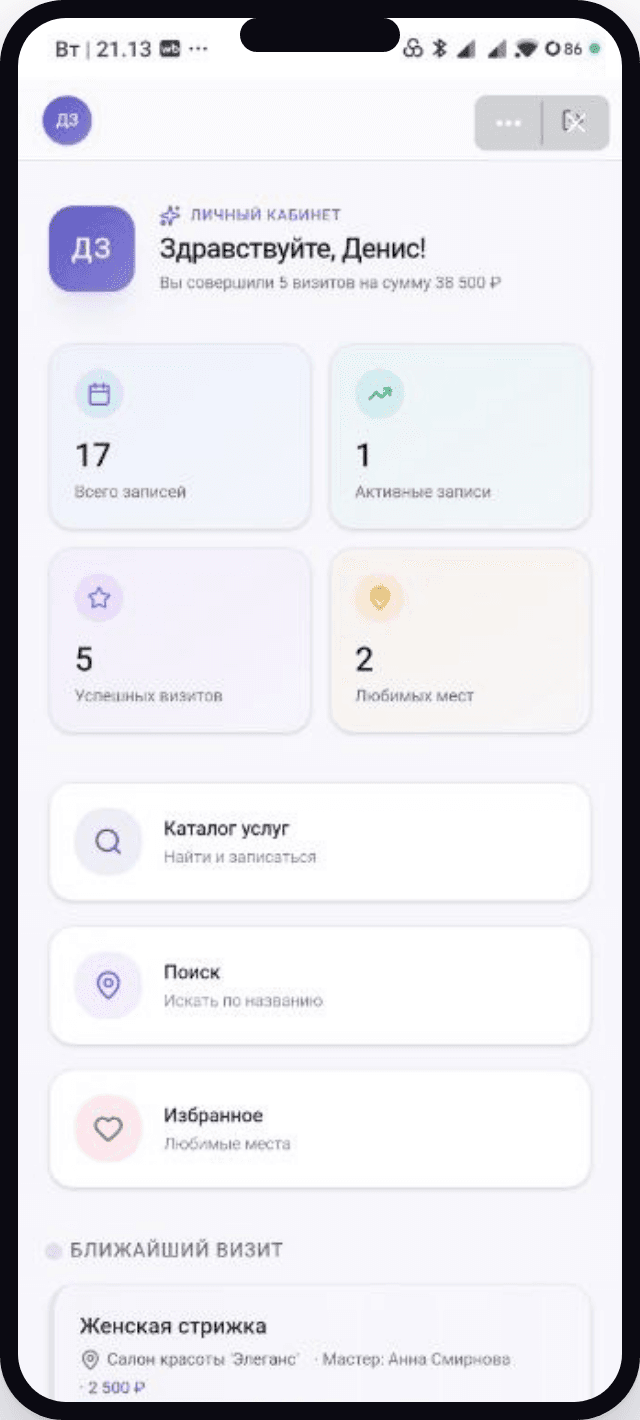
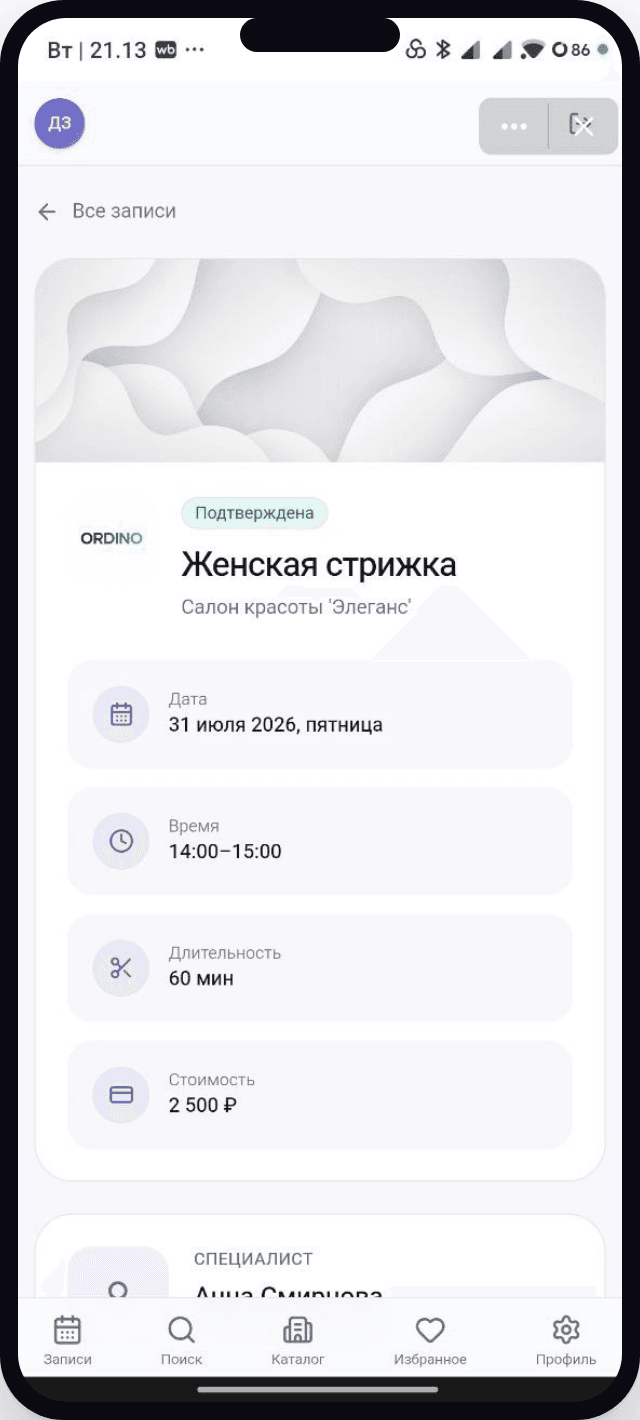
Mini app
Right inside Telegram, VK, or MAX, clients open their personal account: visit history, their next booking, and its details — no call to the front desk needed.
Pricing
Online booking and your first clients are free, with no time limit.
Need a different volume or an integration — write to support@ordino.ru
FAQ
Sign up, add your services and staff, set your schedule, and share the booking link with clients.
No: booking and the dashboard work in a browser. Owners and employees can also use the Ordino Business Android app from RuStore.
It appears instantly in the chosen specialist's calendar, along with the service, time, and client's contact info.
Yes. Ordino connects your website, a direct link, and mini apps to one shared database. Availability depends on connecting a bot or community in your business settings.
Yes. You can enable time-based bookings, rentals, on-site requests, or combine several workflows in one account.
Yes, the free plan is always available, with no time limit.
Your business page, team calendar, and client database are ready in one evening. No developer needed.
Free plan, no time limit · No commission on bookings